

How do I use a Minecraft skin template?
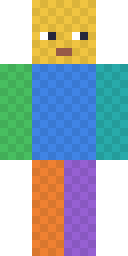
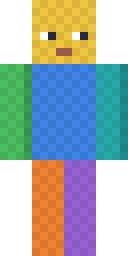
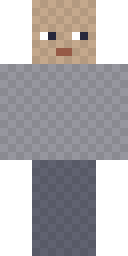
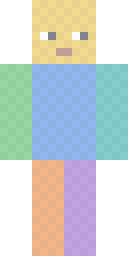
- Pick a template. Choose classic arms (4 pixels wide) or slim arms (3 pixels wide). Use the blank base skin if you want a plain body to paint on.
- Open it. Press Open in editor to paint it here in your browser, or download the PNG and open it in any pixel-art program.
- Paint the base layer. Colour the face, clothes and shoes on the coloured areas. Every colour on the template tells you which body part and side you are on.
- Add the outer layer. Hair, hats, glasses and jackets go on the outer layer areas. Leave outer pixels transparent where you want the base layer to show.
- Save and wear it. Download your 64×64 PNG and upload it in the Minecraft Launcher (Java) or import it in the Dressing Room (Bedrock on PC and mobile).
Where is each body part on the 64×64 template?
Each body part is a box with six faces laid out flat. The table gives the top-left pixel (x, y) of the front face of each part, counted from the top-left corner of the PNG, starting at 0.
| Base layer | Front face at | Size | Outer layer | Front face at |
|---|---|---|---|---|
| Head | 8, 8 | 8×8 | Hat | 40, 8 |
| Body | 20, 20 | 8×12 | Jacket | 20, 36 |
| Right arm | 44, 20 | 4×12 (slim 3×12) | Right sleeve | 44, 36 |
| Left arm | 36, 52 | 4×12 (slim 3×12) | Left sleeve | 52, 52 |
| Right leg | 4, 20 | 4×12 | Right pants | 4, 36 |
| Left leg | 20, 52 | 4×12 | Left pants | 4, 52 |
Above each front face are the top (left) and bottom (right) faces; to the left of it is the outer side, to the right the inner side and then the back. Right and left are the character's own right and left, so the right arm is on your left when you face the skin.
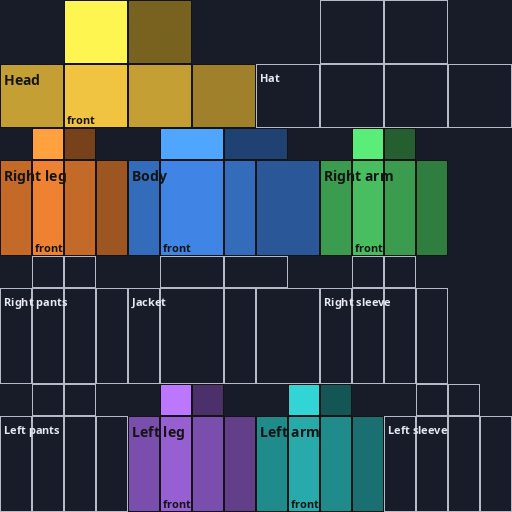
Official templates and other ways to start
Mojang's Java Edition help article links official Standard and Slim reference templates. Ours add colour coding and a blank wearable base. Prefer to start from a finished look? Pick any skin in the skin gallery and press Edit, or describe a character to the AI skin generator and refine the result in the editor. For the full layout story, read Minecraft skin size: 64×64 explained and slim vs classic arms.
Can I use these templates?
Yes. The templates and the chart on this page were drawn by MinecraftSkin.app. You may download, edit, share and use them in your own skins, free and without credit. MinecraftSkin.app is not an official Minecraft product. Not approved by or associated with Mojang or Microsoft.
Skin template questions
What size is a Minecraft skin template?
64×64 pixels. Older Java skins were 64×32 (no separate left arm and leg, no outer layer on the body); Minecraft still accepts them, but 64×64 is the modern layout and the one our templates use.
Should I use the classic or slim template?
Classic arms are 4 pixels wide (like Steve); slim arms are 3 pixels wide (like Alex). Pick the one that matches the arm model you will choose when you upload the skin.
Can I use these templates in Bedrock?
Yes. Bedrock on Windows, Android and iOS imports any 64×64 PNG in the Dressing Room under Classic Skins. Consoles cannot import skin files.
Why should the empty areas stay transparent?
Minecraft ignores the unused parts of the texture, but the outer layer is drawn on top of your character. Any colour you leave on an outer-layer area shows up as a box around that body part.
Are these the official Mojang templates?
No. These templates were drawn by MinecraftSkin.app. Mojang also offers official Standard and Slim reference templates in its Java Edition help article, linked in the sources below.
Sources
- Minecraft Help: Make a Custom Skin in Minecraft: Java Edition (includes official Standard and Slim templates)
- Minecraft Wiki: Skin
Checked against these pages on 2026-10-01.
Ready to paint? Open a template in the editor and watch it change on the 3D player as you go.