About christmas Minecraft skins
Holiday skins are a fun way to celebrate with friends in your Minecraft world. Red and green with white trim is the classic look, and ideas like elves, Santa, snowmen, reindeer and ugly Christmas sweaters all turn into bright, cheerful skins.
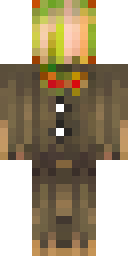
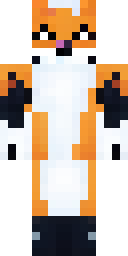
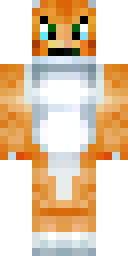
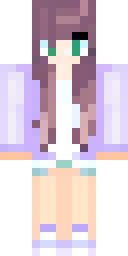
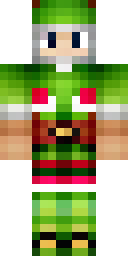
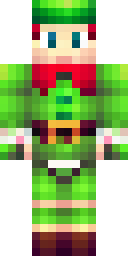
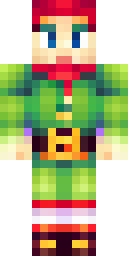
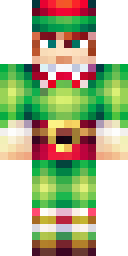
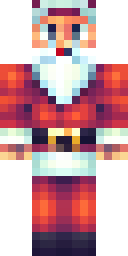
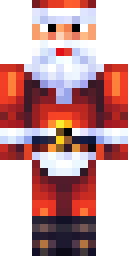
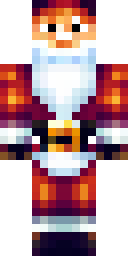
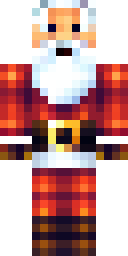
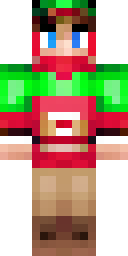
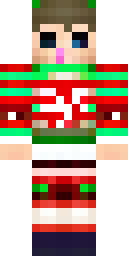
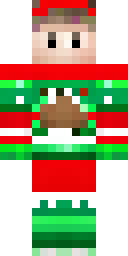
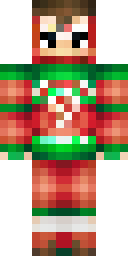
The Christmas skins below were made by our AI from ideas like 'a christmas elf in a green outfit with a red hat' and 'a kid in an ugly christmas sweater with a reindeer'. Each passed our quality check and is a free 64×64 PNG for Java or Bedrock. They look best in a snowy biome, and our site's Snowy world theme gives you the same winter mood.
Christmas skin ideas to try
Tap an idea to open it in the AI generator, change any word, and make 4 new skins.
- A christmas elf in a green outfit with a red hat
- Santa claus with a red suit and white beard
- A kid in an ugly christmas sweater with a reindeer
- A gingerbread man with white icing
- A snowman costume with a carrot nose and a red scarf
Tips for a great christmas skin
- Red, green and white is the classic holiday palette.
- Sweater patterns (snowflakes, reindeer, trees) look great on the chest.
- Make a whole workshop: Santa, elves and a reindeer for your group.
How to wear a christmas skin
- Download the PNG from a skin above (or make your own).
- Java Edition: Minecraft Launcher → Skins → New skin → Browse → Save & Use. Full Java guide.
- Bedrock on Windows, Android or iPhone: Dressing Room → Classic Skins → Owned → Import. Full Bedrock guide.
- Pick classic or slim arms to match. Not sure? Read slim vs classic arms.
Christmas skin questions
How do I make a Christmas Minecraft skin?
Type a holiday idea like 'an elf in a green outfit with pointy ears', press Make skins and pick your favourite of the 4 results.
Can I make a matching family of holiday skins?
Yes. Make Santa, an elf and a reindeer, or one sweater design in different colours.
Do the skins work on Bedrock?
Yes. Import the PNG in the Dressing Room on Windows, Android or iPhone.