About Alex Minecraft skins
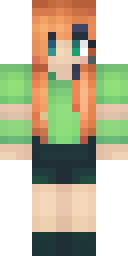
Alex arrived as the second default skin and quickly became as famous as Steve. The Minecraft Wiki describes Alex with long, bright orange hair in a ponytail over the left shoulder, green eyes, a warm light green tunic with moss green cuffs, a black belt, padded brown trousers and grey boots. Alex uses the slim player model, so the arms are one pixel thinner than Steve's.
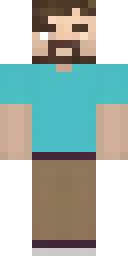
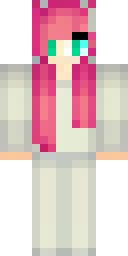
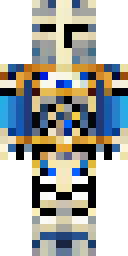
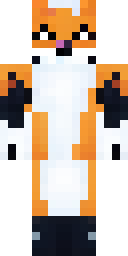
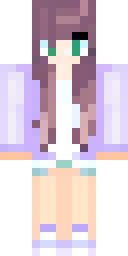
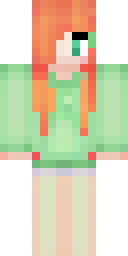
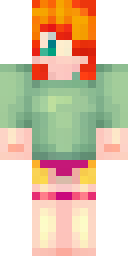
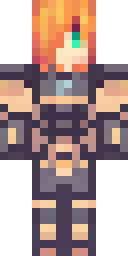
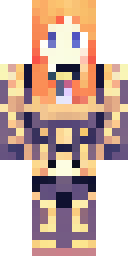
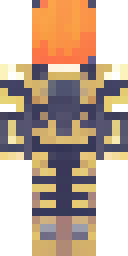
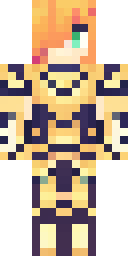
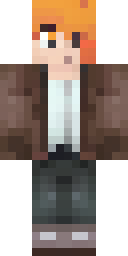
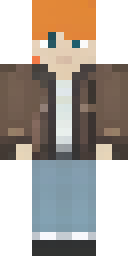
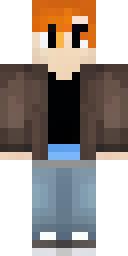
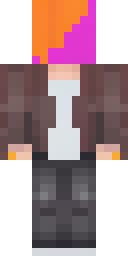
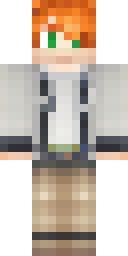
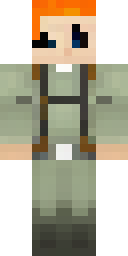
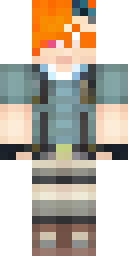
Our AI used that orange hair as the anchor and built new outfits around it: Alex in golden armor, Alex in a brown leather jacket, and Alex as an explorer with a backpack. They still read as Alex from across a server, but each one is an original skin made on this site. Download any of them free, or press Make one like this to send the idea to the generator and roll four new versions.
Alex skin ideas to try
Tap an idea to open it in the AI generator, change any word, and make 4 new skins.
- Alex as a ranger with orange hair and a green cloak
- Alex in diamond armor with orange hair
- Alex as a mermaid with orange hair and a teal tail
- Alex in a cozy winter coat and a red scarf
- Alex as a wizard with orange hair and a purple hat
Tips for a great Alex skin
- Say 'long orange hair' first: it is the one detail everyone recognises.
- Pick Slim arms when you upload an Alex skin; with Classic arms you get a stripe of odd pixels on each arm.
- Green and brown keep the original vibe; any other outfit turns it into your own version of Alex.
How do I wear an Alex skin in Minecraft?
- Download the PNG from a skin above (or make your own).
- Java Edition: Minecraft Launcher → Skins → New skin → Browse → Save & Use. Full Java guide.
- Bedrock on Windows, Android or iPhone: Dressing Room → Classic Skins → Owned → Import. Full Bedrock guide.
- Pick classic or slim arms to match. Not sure? Read slim vs classic arms.
Alex skin questions
Does Alex use slim arms?
Yes. Alex is the slim (3-pixel arm) model by default, while Steve is classic (4-pixel arms). Our guide on slim vs classic arms explains the difference.
Is Alex a girl?
Mojang usually leaves Alex's gender open, and official channels have described Alex in different ways. Make the version you like best.
Can I change Alex's hair colour?
Yes. Open any Alex skin here in the editor and repaint the hair, or describe the colour you want to the AI generator.
Sources
Checked against these pages on 2026-10-01.