



About Herobrine Minecraft skins
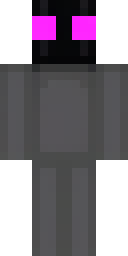
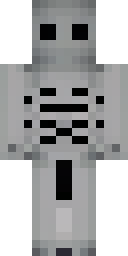
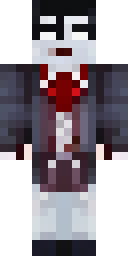
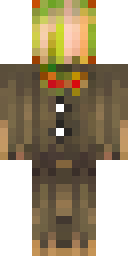
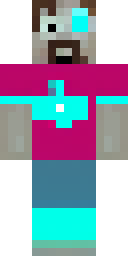
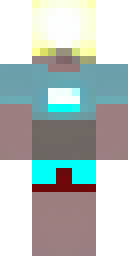
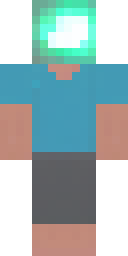
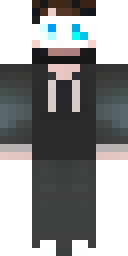
Herobrine is Minecraft's oldest ghost story. The legend describes a figure who looks like Steve but has blank, glowing white eyes and haunts single-player worlds. The Minecraft Wiki is clear that he has never been in the game's code, and Mojang plays along by writing 'Removed Herobrine' in changelogs. Any Herobrine you see on a server is a player in a skin.
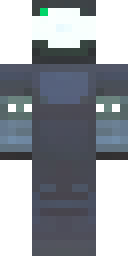
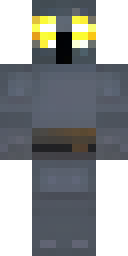
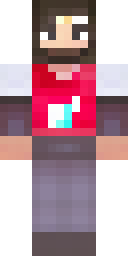
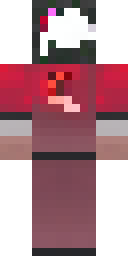
So here are the skins. Our AI made the classic version with white eyes and a cyan shirt, a modern take in a black hoodie, a Herobrine knight in dark armor and one in a red cape. They work best for horror maps, Halloween events and pranks on friends who still believe. Every skin is original, checked by our quality filter, and free to download as a 64×64 PNG.
Herobrine skin ideas to try
Tap an idea to open it in the AI generator, change any word, and make 4 new skins.
- Herobrine as a shadow wizard with glowing white eyes
- Herobrine in a lab coat with glowing white eyes
- Herobrine king with a dark crown and white eyes
- Herobrine in a torn grey cloak
- Herobrine in netherite armor with white eyes
Tips for a great Herobrine skin
- Ask for 'glowing white eyes'; without them it is just Steve.
- Dark outfits make the white eyes pop, especially at night or in caves.
- Pair your Herobrine skin with a creepy map or a Halloween server for the full effect.
How do I wear a Herobrine skin in Minecraft?
- Download the PNG from a skin above (or make your own).
- Java Edition: Minecraft Launcher → Skins → New skin → Browse → Save & Use. Full Java guide.
- Bedrock on Windows, Android or iPhone: Dressing Room → Classic Skins → Owned → Import. Full Bedrock guide.
- Pick classic or slim arms to match. Not sure? Read slim vs classic arms.
Herobrine skin questions
Is Herobrine in Minecraft?
No. He has never been part of any official version. He only appears through mods or players wearing a skin like these.
Is a Herobrine skin scary for kids?
These skins are spooky but not gory: a Steve-like character with white eyes. They are fine for a Halloween-style game.
How do I make my own Herobrine skin?
Describe the outfit and keep 'glowing white eyes' in the idea, for example 'herobrine in a lab coat with glowing white eyes'.
Sources
Checked against these pages on 2026-10-01.